
Async meetings

An agenda where everyone records their part

Topics, owners, a deadline. Everyone else watches it whenever it suits them.

One video
per topic
You pay for
speakers only
Storage
EU, or your own
Per speaker
€12 a month net, from 3 speakers
How it runs

Four steps, one week, no call

The same shape as the meeting it replaces, minus the hour everybody blocks.

01

Write the agenda

Writing it down on Monday replaces the meeting everybody sits through for the part that concerns them.

  • A topic per point, with a target length
  • One named owner each
  • A deadline: tomorrow, a week, a date
  • You publish it when it is ready
02

They record their part

Nobody has to be free when anybody else is. People record at the point in the day they know the answer.

  • One link: record, name it, send
  • One take, in the browser, nothing to install
  • Camera, screen or both, switchable mid-take
  • A teleprompter for anyone who would rather read
03

The audience gets the whole agenda

The agenda is watched before lunch instead of in an hour blocked at nine. Whoever needs topic four watches topic four.

  • One chapter per topic, autoplay through
  • Stop in the middle, come back, carry on
  • Reminders go only to whoever has not finished
  • Viewers are free, on every plan
04

You see whether it landed

The question after a meeting is whether anybody got it. This one answers it.

  • Videos in, and how long from invite to ready
  • Watch-through against the people it went to
  • A list of who you are still waiting on
  • Time saved, on your own assumptions
Which meeting first

Four meetings worth running async instead of holding

Start with the one with the worst ratio of people present to people speaking.
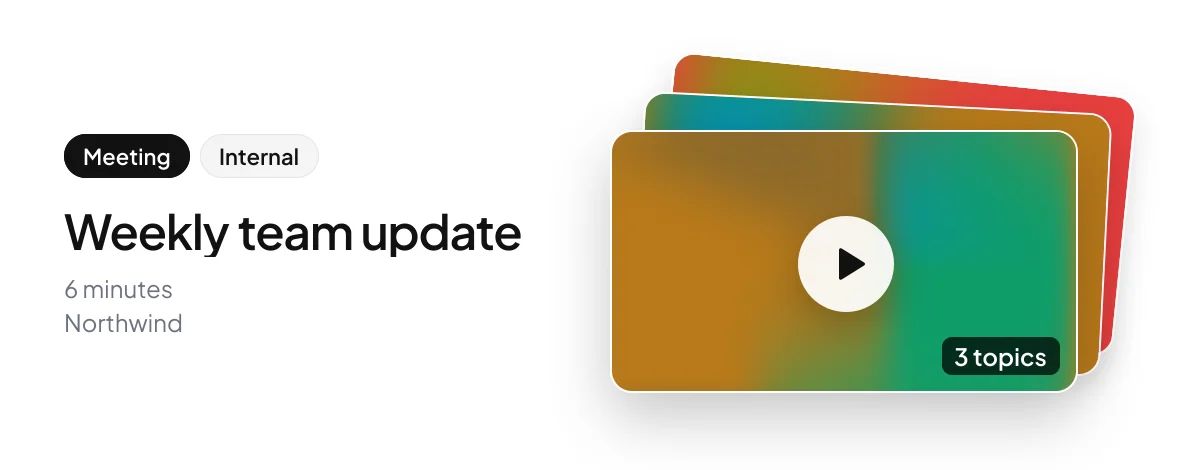
How a Capme meeting link shows up in a chat: “Weekly team update”, 3 topics, 6 minutes.
Adoption

Will everyone actually record?

Four things decide it, and all four are in the product.

The deadline is the old meeting time

Nobody has to take on a new habit. The hour that would have gone on the call is the hour the recording is due.

One email, one link, one take

The link opens the recorder in a tab with the topic and its target length already on it. There is nothing to install and nothing to learn.

You can see who is behind

The agenda says which topic is missing and the list names who owes it. The reminder goes to that person and to nobody else.

A topic can change hands

Somebody on holiday is not a reason to put the meeting back. Hand their topic to somebody who can cover it and the agenda is unchanged.

Where the video lives

In the EU, or in your own S3 storage

A workspace picks one. In your own S3 storage, we never hold the file.

EU hosting

Solo and Team

Stored and served inside the EU, with the subprocessor named in the DPA.

Full control

Your own S3 storage

Business and Enterprise

Written straight to your S3. It never touches ours, and it stays if you leave.

Sub-processors, residency, DPA
For whoever signs it off

What an admin owns

Vendor-review answers, in the product rather than in a policy document.

What speakers cost
Who is in it
Invitation only, or anyone with an email at a domain you claimed, on Business.
Who may invite
Admins, or everybody. A viewer asks to become a speaker in one click; an admin grants it, and nothing is charged automatically.
How every recording looks
Background, logo, overlay text and quality, pinned for everybody or left open.
How long it is kept
Twelve months on Team, or a window Business sets. Deleting says what it was used in.
What changed, and who changed it
An audit log kept a year, exportable on Business.
Leaving
Deleting a workspace takes fourteen days and destroys nothing until they are up.
What it plugs into
A standard MP4 out of the recorder, an embed for any page, single sign-on over SAML 2.0 with your identity provider, and on Business your own S3 storage on AWS, Hetzner, Cloudflare R2 or DigitalOcean Spaces.

Try it on one standing meeting

Fourteen days, every speaker included, no card. Take the weekly nobody prepares for.

How long should a topic be?
Most run a few minutes. The organiser sets a target and the recorder shows it while you talk. Going over tells you how far over; it never cuts you off.
What if somebody does not record?
The agenda says so in that topic's place and the waiting-on list names them. The reminder goes to that person alone, and a topic can be handed to somebody else.
Can somebody reuse a video?
Yes. Anything in their library can answer a topic, in several meetings at once. Deleting it says which meetings it would disappear from.
Can a viewer become a speaker?
Yes, and they ask for it themselves in one click. An admin grants it if the number of speakers allows, or the owner raises the number first, prorated. A request that was never granted is never charged, and watching stays free.
What happens when the trial ends?
The videos stay. An expired trial stops new uploads and deletes nothing that is already there.
Can we brand it?
Background, logo, overlay text and quality are set per workspace. An admin can pin them so every recording matches without anybody thinking about it.
Can people outside the company watch?
Yes. Anyone on the audience list watches from their email link, with a code and no membership. Public links are separate: off until an admin turns them on, unlisted, and any speaker can keep their part out.

Ask us something else

The meeting platform that ends status meetings | Capme