

Is there a free screen recorder without a watermark? What Capme puts in the frame
Steffen Rosenögger, Founder of CapmeUpdated November 1, 2026
OBS and the recorders built into Windows, macOS, iPhone and Android add no watermark. Six options checked with their makers, plus the one line Capme Free adds.
In short
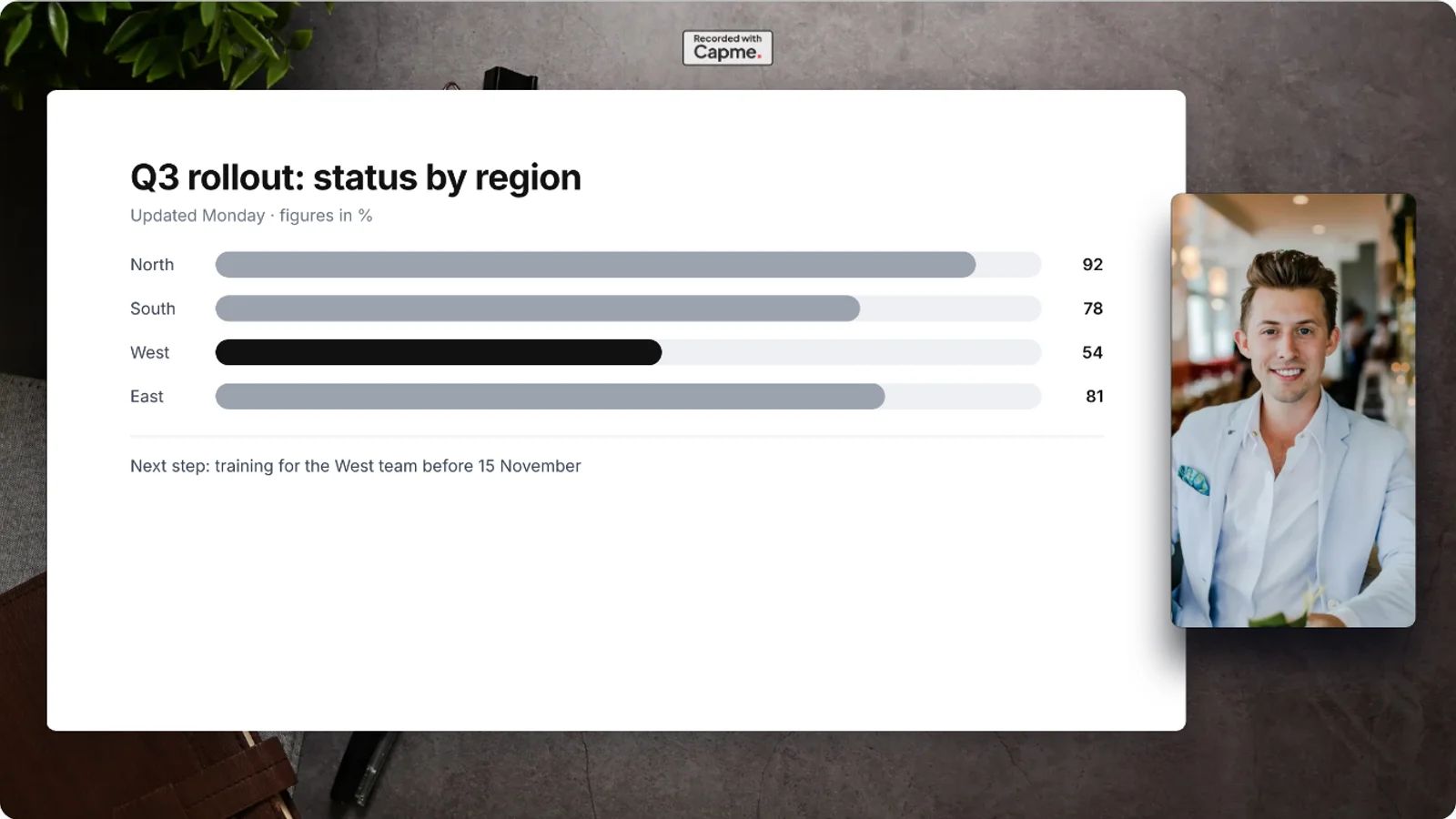
- On Free, Capme draws "Recorded with Capme" into every frame, centred in the top margin. You cannot switch it off, and trimming the file does not remove it.
- The recorders built into Windows, macOS, iPhone and Android mention no mark on their help pages, and OBS Studio says it adds none. The table compares all six options.
- From Solo, 9 € a month net as of October 2026, the same margin holds your own logo. Solo starts with a 14-day trial that needs no card.
Yes. The recorders built into Windows, macOS, iPhone and Android name no mark on their help pages, and OBS Studio says it adds none. Capme Screen Recorder, which is free, adds one line, "Recorded with Capme", centred in the top margin of the frame. It sits on the background, above your screen and your camera picture and never over them, and on the Free plan you cannot change or remove it. The table below puts all six side by side.
Everything else in the frame is yours on Free: the background, its colour and a title line. The recorder runs in the browser with nothing to install, and the first save asks for an email address and a code we send to it.
Which screen recorders work without a watermark?
The screen recorders built into Windows, macOS, iPhone and Android save a plain video file, and none of their makers' help pages mentions a mark or a length limit. OBS Studio goes further and says outright that it adds none.
| Recorder | How you start it | Mark on the file | Longest take |
|---|---|---|---|
| Snipping Tool, Windows | Windows key + Shift + R | None named on Microsoft's page | None named |
| Screenshot app, Mac | Shift + Command + 5; saves a .mov to the desktop | None named on Apple's page | None named |
| Screen Recording, iPhone | Control Center, Record button; saves to Photos | None named on Apple's page | None named; some apps block it |
| Screen record, Android | Swipe down twice, tap Screen record | None named on Google's page | None named |
| OBS Studio, Windows, Mac, Linux | Install, then set up scenes and sources | None, per OBS's help portal | No limits, per OBS |
| Capme Screen Recorder (Free), Chrome, Edge or another Chromium desktop browser | Open the page, press record | "Recorded with Capme", top margin | No limit |
If nothing may be added, use the recorder your system already has, or OBS when you need several sources and scenes. If you want your camera beside your screen, a teleprompter and a designed frame in the browser, and a line in the margin is acceptable, Capme Screen Recorder does that on Free. Loom, Clipchamp, ScreenPal and VEED are in our free online screen recorders compared by time limit and watermark.
On a work laptop where you may not install software, OBS is out. Snipping Tool on Windows 11 and the Screenshot app on a Mac come with the system, and Capme runs in the browser, so all three work without admin rights, unless IT has turned off screen sharing in the browser.
How do you record Instagram Reels without a watermark?
To record your phone's screen, Reels included, use the recorder the phone already has. On an iPhone, open Control Center, tap the Record button and wait for the countdown; the clip lands in Photos (Apple Support, checked 5 October 2026). On Android, swipe down twice from the top and tap Screen record (Android Help, checked 5 October 2026). Apple warns that "some apps might not allow you to record audio or video", so try a short clip first.
Capme is the wrong tool for this job. As checked in our code on 5 October 2026, the recorder on a phone films the camera only, in 9:16, and offers no screen sharing.
What exactly does the Free plan add to a recording?
A watermark is a name or logo a recorder draws into the picture itself, so it travels with every copy of the file. Capme's recorder draws a branded frame around what you record: a background, your screen or camera picture in the middle, and a margin above it. The margin at the top is the logo slot. On Free, and for anyone recording without signing in, that slot holds Capme's mark, "Recorded with Capme". The line below the picture holds your title, if you typed one.
As checked in our code on 5 October 2026, the mark is drawn into each frame while the video is recorded, from the first frame on. It is six percent as tall as the picture below it. Because it is part of the picture and not a separate layer, trimming and exporting keep it; an editor could only crop the margin away, and your background with it. Your screen, your camera picture and the title line are never covered, and no second stamp sits in a corner.
What else do you get on Free?
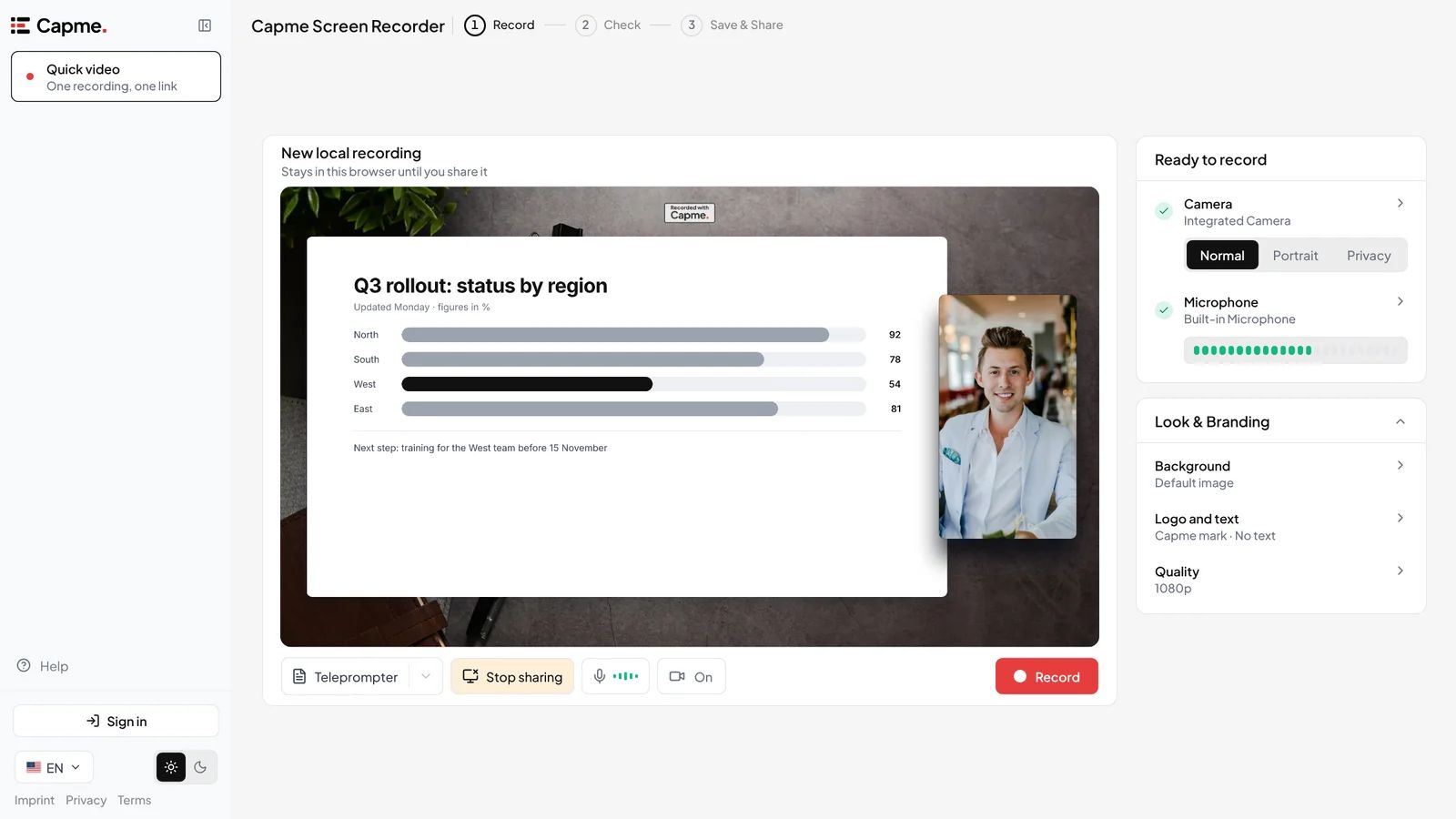
Every recording feature of Capme's recorder is in Free. The frame has two switches, camera and screen share, and you can flip either one in the middle of a take. Stop sharing one window, say the sentence that connects the two, share the next, and it is still one take and one file. You also pick a background image or a colour, blur your own background if you like, write a title of up to 40 characters, read from a teleprompter over the camera and trim the start and end in the browser. The file is an MP4 in Chrome and Edge, at 1080p unless you pick a lower quality in the settings; a browser that cannot write MP4 gets a WebM.
On Loom's free Starter plan, "the timer will start at 5:00 and count down until you reach 0:00, at which point your recording will end" (Atlassian support for Loom, checked 5 October 2026), so a 25-minute walkthrough is five takes there and one in Capme, which has no time limit on any plan and writes the file to disk as it records (what else Loom's free plan limits).
How do you record with Capme?
- Go to capme.app/studio. The browser asks for your camera and microphone so the preview can start.
- Pick a background or a colour, type a title if you want one, and turn on the camera, a screen share or both. You can switch either during the take.
- Press record, wait for the countdown, and press stop when you are done.
- Cut the start or end if you need to, then save to your device.
Record your first video
It runs in Chrome or Edge, with nothing to install.
Which plan puts your own logo in the frame?
Solo does, at 9 € a month net (as of October 2026), and it starts with a 14-day trial that needs no card. You upload a logo once in the recorder's settings and show it in its own colours, in black or in white; from then on it sits where the Capme mark sat, in every new recording. Solo also keeps 50 videos on EU hosting with unlisted links, each for 365 days, or for as long as you mark it to keep. The pricing page lists every plan.
On Team and above, an admin sets the logo for the whole workspace. Those plans exist for Capme's main product, recorded meetings that replace status meetings: each speaker records a topic, viewers watch for free, and the video stays on EU hosting, or on Business in the company's own storage.
What if the file must carry nothing you did not add?
Then use OBS Studio or your system's recorder and accept what they leave out. OBS's help portal says it adds no mark of any kind and "can be used commercially with no restrictions" (OBS help portal, checked 5 October 2026), but it brings no teleprompter or branded frame of its own.
We think the line in the margin is a fair trade for an internal walkthrough and a poor one for a client video, because a viewer outside your company reads any third-party name as part of your message, and whoever owns your brand will notice. Before a video leaves the company, ask two questions: will someone outside see it, and would a name other than yours appear in the frame? Two yeses mean OBS, your system's recorder or a 14-day Solo trial with your own logo.
Frequently asked questions
- Can I remove the mark from a recording later?
- No. A take made on Free keeps the mark for good, also after you move to a plan with your own logo. Only recordings made after the switch show the logo.
- How often can I save on Free?
- As often as you like; Free has no save limit. Only the first save asks for an email address and the code we send to it.
- Which browsers work?
- Chrome, Edge and other Chromium browsers get every mode. Other browsers show a notice that they may not record cleanly.